


Digital Accessibility in Healthcare: Compliance Tips

Key Takeaways
Digital Accessibility in Healthcare: Compliance Tips
Healthcare organizations must meet digital accessibility standards by May 2026 or May 2027, depending on size, to comply with federal regulations. The Department of Health and Human Services (HHS) mandates that patient portals, telehealth platforms, and other digital tools follow WCAG 2.1 Level A and AA standards. Non-compliance risks include fines, loss of federal funding, and legal action. Accessible platforms improve patient engagement by enabling individuals with disabilities to independently manage their healthcare.
Key Takeaways:
- Deadlines: May 11, 2026 (15+ employees) and May 10, 2027 (smaller organizations).
- Requirements: Websites, mobile apps, and digital documents must meet WCAG 2.1 Level A/AA.
- Risks of Non-Compliance: Investigations, financial penalties, and revoked funding.
-
Steps to Achieve Compliance:
- Conduct audits to identify accessibility gaps.
- Design with features like screen reader compatibility, keyboard navigation, and proper color contrast.
- Integrate accessibility checks into development phases.
- Train teams on WCAG principles and ensure vendor compliance.
Start early - compliance efforts can take months. Prioritizing accessibility not only fulfills legal obligations but also ensures equal access to healthcare for all patients.
1. Follow WCAG 2.1 Standards
Regulatory Compliance with WCAG 2.1 Standards
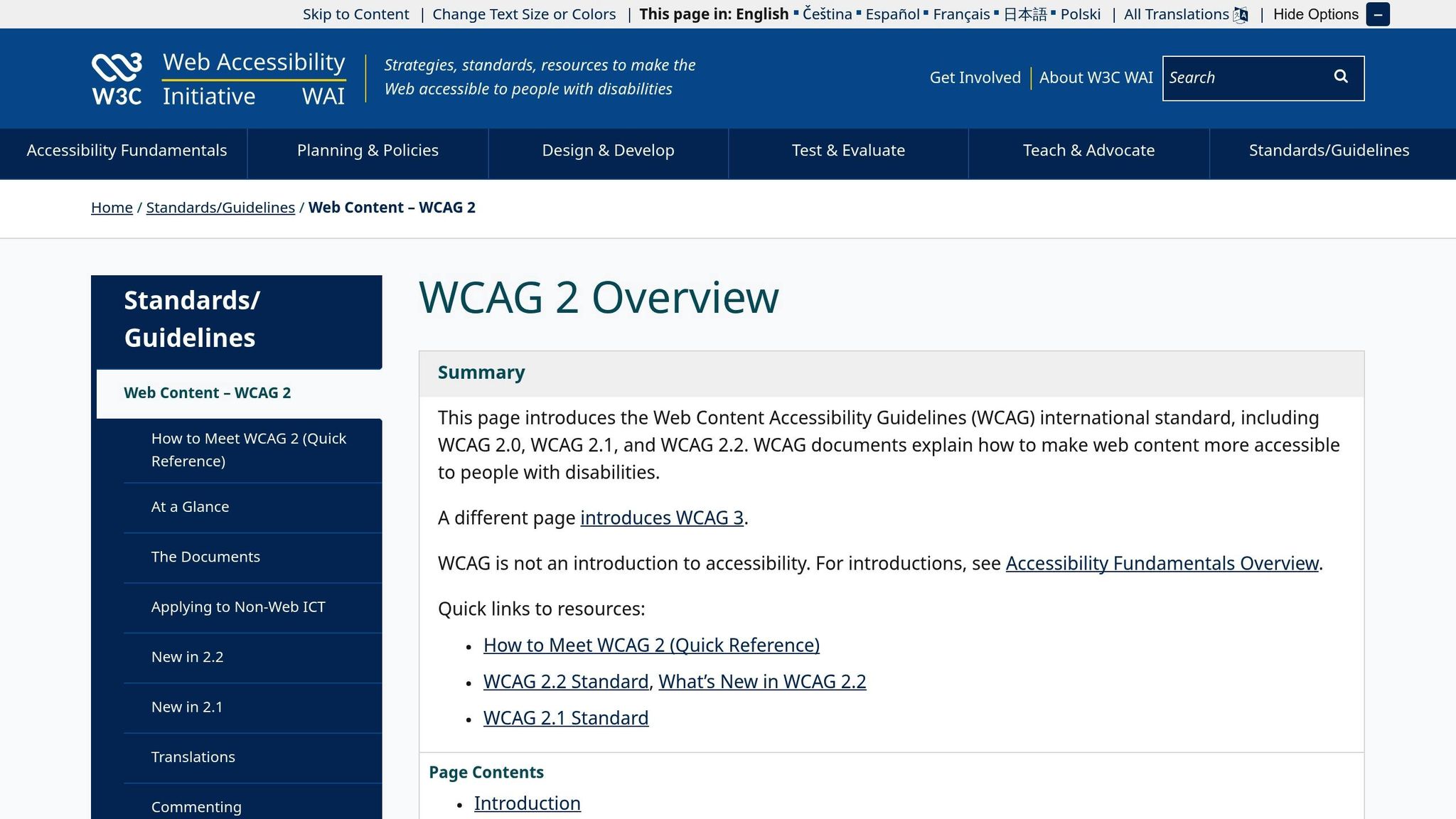
On May 9, 2024, the Department of Health and Human Services introduced a new rule that reshaped digital accessibility requirements for healthcare organizations. Effective July 8, 2024, this rule mandates that all covered entities align their websites, mobile apps, and digital documents used in patient care with the Web Content Accessibility Guidelines (WCAG) 2.1 Level A and AA standards. Organizations have a timeline of 6–12 months to achieve full compliance, making it crucial to act promptly. In addition to internal systems, third-party solutions like telehealth platforms, chatbots, appointment schedulers, and patient portals must also meet WCAG 2.1 AA standards. Compliance teams should carefully review vendor contracts to confirm that external providers are delivering accessible solutions. Non-compliance comes with serious legal and financial risks - for instance, an Illinois clinic recently faced a Department of Justice settlement requiring it to make its digital services accessible. Additionally, failing to meet these standards could lead to the loss of federal funding. These guidelines are more than just rules; they set the stage for innovations that improve patient access and care.
Integration into Patient-Facing Digital Health Workflows
WCAG 2.1 standards aren’t just about regulatory boxes to check - they directly shape how patients engage with healthcare systems online. Every digital touchpoint, from booking appointments to viewing lab results, must be accessible to individuals with disabilities. This ensures that people using assistive technologies can independently manage their health. Key features include text alternatives for images, captions for audio and video content, keyboard-friendly navigation, and proper color contrast. For example, a telehealth platform should allow patients using screen readers to seamlessly schedule appointments, join virtual visits, and access post-visit summaries. The University of California system has already updated its digital accessibility policies to align with the latest HHS and DOJ requirements, ensuring compliance across web and mobile platforms. Beyond simply meeting design standards, ongoing testing and clear governance are critical for maintaining accessibility over time.
Support for Accessibility in Design, Testing, and Governance
Achieving WCAG 2.1 compliance isn’t a one-time task - it requires a holistic approach that integrates accessibility into every phase, from procurement to maintenance. Conducting a thorough accessibility audit of existing digital assets is a good starting point. This helps identify gaps in meeting WCAG 2.1 Level AA criteria and allows organizations to prioritize fixes based on patient impact and compliance deadlines. While automated tools can identify technical issues, manual testing with assistive technologies is essential to ensure the user experience matches real-world needs. When procuring third-party solutions, it’s important to verify that vendors meet WCAG 2.1 AA standards before finalizing contracts. If achieving full compliance isn’t technically or legally feasible, the HHS rule allows for the creation of an accessible alternative version of the digital experience, provided it offers equivalent access.
Improving Patient Engagement and Outcomes
Accessible digital platforms go beyond meeting legal requirements - they play a vital role in improving patient engagement and health outcomes. By enabling independent access to health information and services, these platforms empower patients to take an active role in their care. This is especially important in telehealth, where accessible virtual visit platforms allow individuals with visual or hearing impairments to fully participate in remote consultations. The result? Patients are more likely to follow treatment plans and experience fairer, more equitable health outcomes. Accessibility isn’t just a technical requirement - it’s a gateway to better care for all patients.
2. Build Accessibility into Design and Development
Support for Accessibility in Design, Testing, and Governance
Incorporating accessibility into your digital platforms from the very beginning is critical - not just for meeting regulatory requirements but also for delivering better care. Accessibility shouldn't be treated as an afterthought. Instead, it must be woven into every phase of design and development.
One way to achieve this is by forming cross-functional teams that include accessibility experts, designers, developers, and compliance officers. This collaboration ensures accessibility is considered from the earliest stages, like wireframes, all the way through to final deployment. For instance, a hospital might implement a checklist for new digital projects that mandates accessibility reviews at every milestone, from concept to launch. Regular audits - perhaps twice a year with external consultants - can also help catch and resolve issues early, minimizing legal risks and ensuring compliance.
The design phase is where accessibility truly begins to take shape. Designers should use semantic HTML to make content readable by screen readers, ensure interactive elements can be navigated via keyboard, and maintain proper color contrast. Developers should test their code with assistive technologies throughout the process, rather than waiting until the end. A great example of this comes from a community health center in California, which updated its appointment scheduling system in 2024 to include features like screen reader compatibility and keyboard navigation. The result? A 25% increase in bookings from patients with disabilities within six months.
Regular user testing and audits involving people with disabilities are also essential. While automated tools can flag issues like missing alt text or improper heading structures, they can't fully assess whether the user experience meets the needs of someone relying on voice commands or a screen reader. Engaging people with disabilities in feedback sessions provides insights that automated tools simply can't.
Governance plays a key role in maintaining accessibility. Organizations should establish clear policies, assign accountability, and offer regular training on accessibility best practices. Quarterly workshops on WCAG standards and annual audits can help ensure accessibility remains a priority, even as teams change and new challenges arise. When governance and design work hand-in-hand, accessibility becomes a natural part of the workflow, benefiting both patients and staff.
Integration into Patient-Facing Digital Health Workflows
Every step of the patient journey - whether it's booking an appointment, attending a telehealth session, or refilling a prescription - should be designed with accessibility in mind. By embedding accessibility features directly into these workflows, you ensure that all interactions are inclusive and easy to navigate.
For example, appointment systems should allow users to book, reschedule, or cancel appointments using just a keyboard or voice commands. Forms need clear labels, concise error messages, and simple, step-by-step instructions. Telehealth platforms should include features like closed captioning, screen reader compatibility, and adjustable font sizes to make virtual consultations accessible to patients with visual or hearing impairments.
A hospital system in Illinois took this approach when designing a new patient portal in 2024. By ensuring all features met WCAG 2.1 AA standards before launch, they avoided potential legal issues and saw increased satisfaction among patients with disabilities.
Third-party tools also need careful evaluation. Organizations should require vendors to provide accessibility conformance reports, such as VPATs, and conduct their own audits before integrating external platforms. Contracts should include clauses requiring compliance with WCAG 2.1 AA standards. For instance, a clinic using a third-party telehealth platform should verify that it supports screen readers, keyboard navigation, and closed captioning. Regularly reviewing the vendor's accessibility updates ensures that patient-facing tools remain compliant over time.
Enhancement of Patient Engagement and Outcomes
Accessible design goes beyond meeting regulations - it transforms how patients interact with healthcare services, ultimately leading to better outcomes. When digital platforms are accessible, patients with disabilities can independently manage their care, improving engagement and adherence.
For example, accessible patient portals allow users with visual or cognitive impairments to manage medications, view test results, and communicate with providers without relying on assistance. This independence can lead to better medication adherence and fewer hospitalizations. Studies have shown that accessible platforms also boost patient satisfaction and trust, as they make patients feel included and supported in their care journey.
Practical features make a noticeable difference in daily use. High-contrast modes and voice navigation help users with low vision navigate apps. Clear language and step-by-step instructions assist those with cognitive disabilities in completing tasks like verifying insurance or refilling prescriptions. Features like alternative text for images, captions for videos, and adjustable text sizes benefit not only patients with disabilities but also older adults who may struggle with small fonts or complex interfaces.
Organizations that prioritize accessibility often see higher patient retention and improved care quality. When patients can easily access their health information and services, they're more likely to stay engaged with their care plans, attend appointments, and follow through on treatments. This creates a positive cycle: better access leads to better outcomes, which builds trust and loyalty.
The benefits extend beyond patient satisfaction. Clinics that revamped their online scheduling systems to include clearer labels and error messages saw improved satisfaction scores and fewer no-shows. By making digital tools accessible to everyone, healthcare organizations can expand their reach, reduce support costs, and streamline workflows, creating a win-win for both patients and staff.
3. Test and Validate Accessibility Features
Support for Accessibility in Design, Testing, and Governance
Ensuring accessibility requires a mix of automated tools, manual testing, and direct user feedback to catch issues that might otherwise slip through the cracks.
Start with automated tools like Axe, WAVE, or Lighthouse. These tools can quickly flag common problems such as missing alt text for images, poor color contrast, unlabeled buttons, or improper heading structures. However, not all issues are easily detectable this way - manual testing is essential for uncovering more nuanced challenges.
Manual testing should include using screen readers like JAWS, NVDA, or VoiceOver to simulate user experiences. Try performing common tasks, such as booking an appointment or reviewing lab results, using only a keyboard. This helps identify whether interactive elements are labeled correctly, navigation is intuitive, and tasks can be completed independently without unnecessary barriers.
Incorporate feedback from users with disabilities to understand practical challenges. For instance, a large hospital system combined automated scans, manual testing, and patient feedback to audit its digital tools, achieving WCAG 2.1 AA compliance ahead of the May 2026 deadline. This proactive approach not only improved patient satisfaction but also reduced legal risks.
To catch issues early, embed accessibility checkpoints during design, development, and pre-release stages. For example, before launching a new patient portal feature, test it thoroughly with screen readers and keyboard navigation. Continuously monitor and iterate based on feedback to maintain accessibility as your platform evolves.
Document everything - test results, identified issues, and the steps taken to resolve them. This creates a clear compliance trail for regulators and fosters accountability across teams. It also provides a roadmap for ongoing improvements, ensuring accessibility remains a priority.
Regulatory Compliance with WCAG 2.1 Standards
The HHS final rule, effective July 8, 2024, mandates that healthcare organizations ensure all digital platforms meet WCAG 2.1 Level A and AA standards. This includes websites, mobile apps, patient portals, EHR systems, telehealth platforms, and third-party tools. Organizations with 15 or more employees must comply by May 11, 2026, while smaller organizations have until May 2027.
Compliance with WCAG 2.1 involves meeting specific technical criteria. Level A standards address basic accessibility needs, such as providing text alternatives for images and making functionality operable via keyboard. Level AA focuses on additional elements like sufficient color contrast (e.g., a minimum ratio of 4.5:1 for normal text), clear visual layouts, and multiple navigation options.
A thorough strategy for compliance includes comprehensive audits, fixing issues systematically, and validating the changes. Be cautious when working with third-party vendors. Even if you rely on external tools like telehealth software or appointment systems, you’re still responsible for their accessibility. Request documentation of WCAG 2.1 AA compliance, test their claims independently, and include accessibility requirements in contracts. If full compliance isn’t feasible due to technical or legal constraints, offer an alternative accessible version of the digital experience.
Non-compliance can lead to serious consequences. The Office for Civil Rights (OCR) can investigate complaints, mandate corrective actions, impose penalties, or even revoke federal funding. A recent DOJ settlement with an Illinois clinic highlights the urgency of prioritizing accessibility testing and validation.
Integration into Patient-Facing Digital Health Workflows
Accessibility testing must align with real-world patient workflows, from scheduling appointments to managing medications, to ensure features function as intended.
For appointment scheduling systems, verify that patients can complete the process using only a keyboard or voice commands. Can they select a date, enter details, and confirm an appointment without a mouse? Are error messages clear and helpful? Do screen readers announce all relevant details, such as available time slots and confirmation messages?
Telehealth platforms require equally rigorous testing. Ensure video conferencing tools include closed captioning, controls are keyboard-operable, and screen readers announce participant actions. Patients should also be able to adjust font sizes, activate high-contrast modes, and navigate settings without relying solely on visual cues.
Patient portals need testing under various scenarios. For example, can visually impaired patients navigate to view lab results and understand the information? Are multi-step processes, like refilling prescriptions or updating insurance details, easy for patients with cognitive disabilities? Logical form structures, clear labels, and step-by-step instructions are crucial. Testing these workflows with actual patients provides insights that go beyond technical audits.
Address critical issues affecting key tasks - like scheduling appointments or accessing results - immediately. Document your testing process, including workflows tested, issues identified, and resolutions. This not only ensures compliance but also tracks progress toward full accessibility.
Enhancement of Patient Engagement and Outcomes
Thorough accessibility testing directly impacts patient engagement and health outcomes by removing barriers to care.
Testing ensures that accessibility features work as intended. For instance, if a patient portal offers voice navigation for users with low vision, testing verifies that it’s intuitive and reliable. Similarly, features like medication reminders with both visual and auditory alerts should be validated to ensure they meet diverse patient needs.
The benefits are clear: Patients who can independently access health information are more likely to stay engaged with their care, attend appointments, and follow treatment plans. Accessible platforms empower patients to take control of their health by providing easy access to lab results, provider communication, and medication management.
Accessibility testing often reveals ways to improve the user experience for everyone. Clear error messages, simple navigation, and plain language help all users. Features like high-contrast modes not only assist those with disabilities but also help older adults with declining vision. Robust keyboard navigation can even aid users with temporary injuries. By validating accessibility rigorously, you create a more inclusive and user-friendly platform that builds trust and loyalty within your patient community.
4. Train Teams and Establish Governance
Support for Accessibility in Design, Testing, and Governance
Making accessibility a priority requires structured training and solid governance. Everyone involved in creating or managing digital health platforms needs to understand their role in ensuring compliance and supporting patients with disabilities.
Start by forming a cross-functional accessibility task force. With leadership support, this group can set policies, oversee audits, and track training progress. Regular meetings are key to reviewing updates, addressing challenges, and adapting standards as regulations change.
Training should begin during onboarding and continue throughout employment. New hires need to grasp WCAG 2.1 principles from day one, while current staff benefit from periodic refreshers. For example, the University of Texas Southwestern Medical Center rolled out a digital accessibility training program featuring awareness campaigns, approved templates, and ongoing staff support. This approach fosters a culture where accessibility becomes a shared responsibility rather than an afterthought.
Effective training should focus on the four principles of accessible content: perceivable, operable, understandable, and robust. Teams need hands-on experience with tasks like designing accessible websites, formatting documents correctly, and building mobile apps that work with assistive technologies. Scenario-based exercises help staff apply these skills to real-world patient interactions.
Accessibility checkpoints should be embedded directly into the design and development process. Before launching any new features - whether it's a patient portal update or a telehealth tool - require approval from the accessibility committee. This proactive step helps identify and fix issues early, saving time and money down the line. Documenting every review, including criteria and approvals, ensures accountability.
Regular reporting to leadership keeps accessibility top of mind and helps justify investments in training, tools, and remediation. Compliance management software or learning management systems can simplify tracking of training sessions, attendance, and governance activities.
By integrating these measures, your organization can create a strong foundation for improving accessibility across patient-facing workflows.
Regulatory Compliance with WCAG 2.1 Standards
Understanding regulatory requirements isn't just important - it's mandatory. The HHS final rule requires healthcare organizations to meet WCAG 2.1 Level A and AA standards for all digital platforms, including websites, mobile apps, patient portals, EHR systems, and telehealth tools. Compliance deadlines are May 2026 for organizations with 15 or more employees and May 2027 for smaller organizations.
Your training program should clearly outline these deadlines and the risks of non-compliance. The Office for Civil Rights (OCR) can investigate complaints, enforce corrective actions, impose fines, or even revoke federal funding. This underscores the importance of comprehensive training as part of a patient-centered digital strategy.
Teams need to understand what WCAG 2.1 compliance looks like in practice. Level A focuses on basics like text alternatives for images and keyboard functionality, while Level AA adds requirements like sufficient color contrast, clear layouts, and multiple navigation options. Workshops that allow staff to apply these standards to real projects are particularly effective.
Developers should learn how to code accessible forms, buttons, and navigation menus. Designers need to grasp color contrast guidelines and how to create layouts compatible with screen readers. Content creators must focus on writing simple, clear text and providing meaningful alt text for images. Compliance officers should be trained on documentation procedures and conducting thorough accessibility audits.
Keep detailed records of all training activities, including attendance, assessment results, and certifications. These records are essential for demonstrating compliance during an OCR investigation or legal review. Documentation should also include governance meetings, audit outcomes, and remediation efforts.
Aligning regulatory training with everyday operations ensures compliance efforts also enhance patient experiences.
Integration into Patient-Facing Digital Health Workflows
Accessibility training should directly connect to the workflows patients rely on daily. Staff must understand how their work impacts appointment scheduling, provider communication, and medication management.
Consider the patient journey end-to-end. Content creators must ensure error messages are clear and actionable, while designers need to verify that screen readers announce all relevant details, such as available time slots and confirmation messages.
Using pre-approved accessible templates - like those from the University of Texas Southwestern Medical Center - can help maintain consistency and reduce errors. Regular workshops and e-learning modules reinforce these practices over time.
Appointing accessibility leads within each department can also make a difference. These individuals receive advanced training and act as resources for their teams. Peer learning and knowledge sharing make accessibility efforts more approachable and effective.
Enhancement of Patient Engagement and Outcomes
Well-trained teams bridge the gap between compliance and improved patient care. By understanding and implementing accessibility standards, staff can create digital tools that serve all patients effectively.
Accessible platforms eliminate barriers to care, allowing patients to schedule appointments, view test results, and communicate with providers independently. This ease of use fosters trust and encourages active engagement with treatment plans. Patients with easy access to health information are more likely to follow care recommendations, attend appointments, and manage medications as prescribed.
Accessibility improvements benefit everyone, not just individuals with disabilities. Features like clear navigation, straightforward language, and logical form structures enhance the user experience for older adults, people with temporary injuries, and those in high-stress situations.
In 2024, a major healthcare provider in the Midwest conducted a thorough accessibility audit and training program for its digital health teams. The initiative included workshops on WCAG 2.1 standards, hands-on testing, and a dedicated accessibility committee. Within six months, the provider saw a 30% drop in accessibility-related complaints and a 20% boost in patient satisfaction scores.
Platforms like PatientPartner show how thoughtful design can improve patient outcomes. By connecting patients with experienced mentors through an accessible interface, PatientPartner helps pharmaceutical and med-tech companies support patients throughout complex healthcare journeys. Their commitment to accessibility ensures all patients can benefit from the platform's resources.
Strong governance ensures accessibility remains a priority as your organization grows and adopts new technologies. Regular audits catch issues before they affect patients, ongoing training keeps teams informed about best practices, and thorough documentation provides accountability. Together, these efforts create a sustainable approach to accessibility that reduces legal risks and improves patient care.
sbb-itb-8f61039
5. Use Platforms Built for Accessibility like PatientPartner
Regulatory Compliance with WCAG 2.1 Standards
Using platforms designed with accessibility in mind makes regulatory compliance much easier. Healthcare organizations must ensure their digital tools - like patient portals, mobile apps, and third-party platforms - meet WCAG 2.1 Level A and AA standards. These standards aren't optional, and organizations need to meet the compliance deadlines tied to them.
When choosing a platform, look for one that has accessibility baked into its design. Features like keyboard navigation, screen reader compatibility with proper semantic markup and ARIA labels, optimized color contrast, and resizable text should be part of the foundation, not an afterthought.
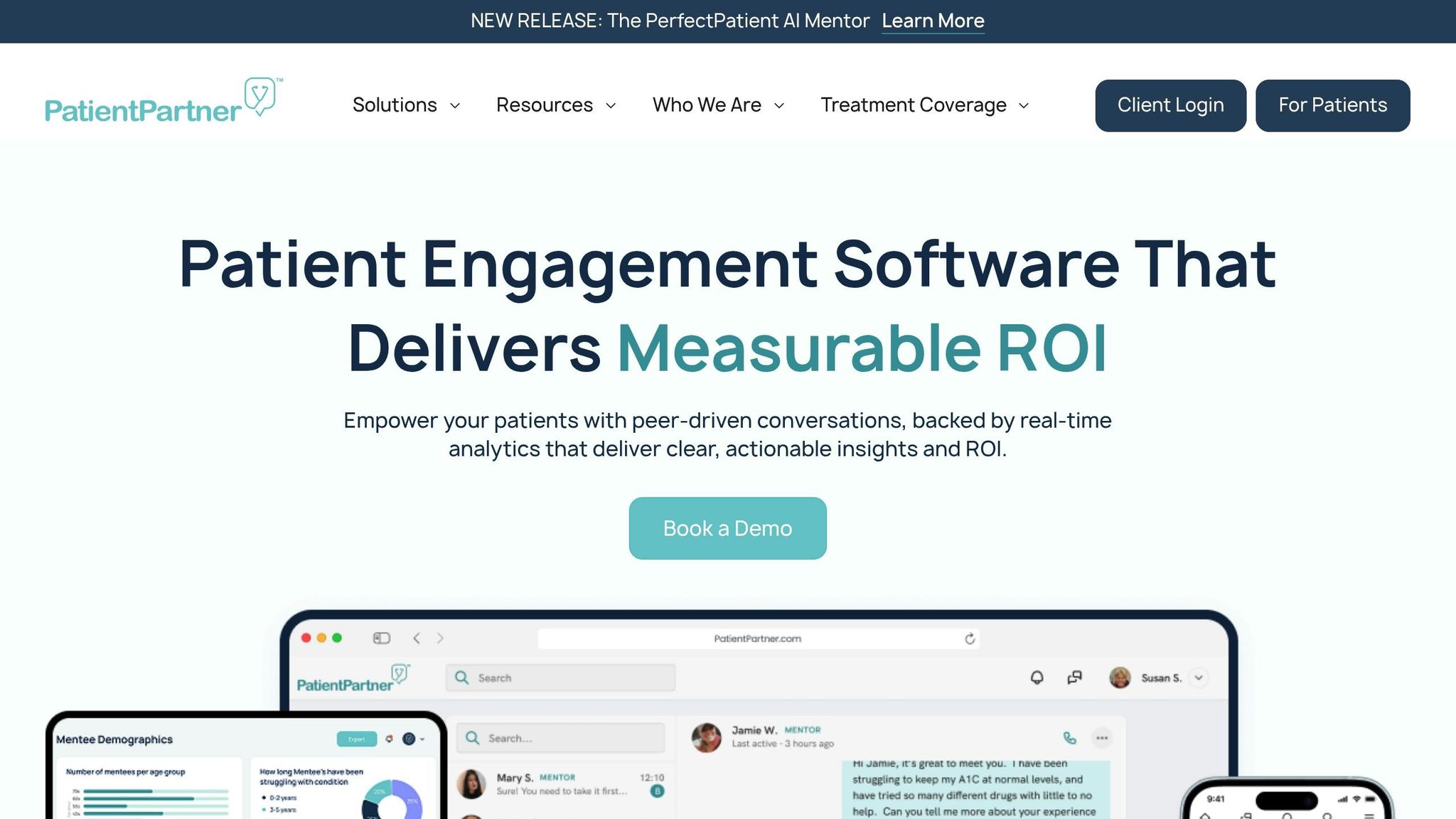
Take PatientPartner, for example. This platform connects patients with experienced mentors through an interface built to be accessible. It allows healthcare and pharmaceutical companies to quickly meet compliance deadlines without rushing implementations that might lead to new accessibility problems.
Healthcare websites are particularly vulnerable to legal risks since they serve a diverse patient base, including individuals with disabilities. Non-compliance can lead to investigations by the Office for Civil Rights (OCR), sanctions, penalties, or even the loss of federal funding. Patients can also file complaints or lawsuits in federal court. Platforms like PatientPartner provide clear evidence of compliance efforts, which is critical during regulatory reviews or legal disputes.
Integration into Patient-Facing Digital Health Workflows
Beyond meeting regulations, accessibility must extend across every patient interaction. This means ensuring that all digital touchpoints - like websites, mobile apps, and kiosks - adhere to accessibility principles.
Platforms like PatientPartner show how accessibility can seamlessly integrate into existing workflows. For example, the system supports enterprise marketing, patient support, and commercial teams, while offering patients real-time mentorship connections. Automated systems ensure HIPAA compliance and accessibility, streamlining patient engagement with consistent, personalized experiences throughout their healthcare journey.
When evaluating platforms, make sure they maintain accessibility across all devices and browsers. They should also support features like accessible password-protected documents, clear error messages, screen reader-friendly interfaces, and properly labeled forms. These elements ensure an inclusive experience for all users.
Support for Accessibility in Design, Testing, and Governance
Platforms built with accessibility in mind reduce the burden of compliance by offering tools for monitoring and reporting. Features like automated compliance checks, accessibility audit trails, and detailed reporting are invaluable. Governance tools - such as role-based access controls, version management for accessible content, and alerts for non-compliant materials - are essential to meet OCR standards.
PatientPartner goes above and beyond with its compliance-ready framework, meeting HIPAA, SOC 2, and ISO 27001 requirements. It uses end-to-end encryption, role-based access controls, and audit trails to protect patient data while ensuring accessibility. This infrastructure ensures every interaction meets regulatory standards without requiring constant manual oversight.
Effective platforms also simplify vendor management. Procuring inaccessible technology can jeopardize compliance, so vendors must meet digital accessibility requirements. Accessibility-focused platforms like PatientPartner can serve as a benchmark when evaluating other vendors and setting procurement policies that prioritize inclusivity.
Enhancement of Patient Engagement and Outcomes
Accessibility isn't just about ticking boxes for compliance - it's about making sure all patients can actively engage in their healthcare. When patients with disabilities can easily access health information, schedule appointments, review lab results, and communicate with providers, they’re more likely to stay on track with treatment plans and maintain ongoing care.
But the benefits don't stop there. Accessible design also helps elderly patients, those with temporary injuries, and anyone navigating complex healthcare systems during stressful times. Features like clear navigation, simple language, and logical form structures improve the experience for everyone.
PatientPartner exemplifies how accessibility can drive better outcomes. By connecting patients with mentors through an accessible platform, it helps pharmaceutical and med-tech companies increase patient adoption of new treatments, medications, and procedures.
Brad A. from Mainstay Medical shared, "Patient Partner has been influential in helping patients understand the benefits of our product, providing them with personalized guidance and real-life experiences to support their decision-making."
When patients can easily use digital health tools, they become more engaged in their care. This leads to better adherence to treatment plans, timely follow-ups on test results, and stronger communication with healthcare teams.
Choosing platforms with accessibility at their core sets up your organization for success. You’ll meet regulatory requirements, minimize legal and financial risks, and create digital experiences that truly serve all patients. As technology evolves, these platforms ensure accessibility remains a priority, not an afterthought.
The World's Guide to WCAG and Compliance
Conclusion
Healthcare digital accessibility isn’t optional - it’s a requirement. With the HHS rules officially taking effect on July 8, 2024, and compliance deadlines approaching, organizations must act now. For those with 15 or more employees, compliance is required by May 11, 2026, while smaller organizations have until May 2027. Given that auditing, updating, and validating digital accessibility can take 6–8 months for standard websites and over a year for more complex platforms, starting early is non-negotiable.
This isn’t just about regulations - it’s about impact. One in four adults in the U.S. lives with a disability, making accessible healthcare websites essential. The HHS Office for Civil Rights now has the authority to investigate complaints, conduct compliance reviews, and escalate violations to the Department of Justice. Non-compliance can lead to federal investigations, corrective actions, and hefty penalties, putting organizations at significant risk.
But accessibility goes beyond avoiding legal trouble - it improves patient care. When individuals with disabilities can seamlessly navigate healthcare platforms to book appointments, access test results, or communicate with providers, they’re more engaged in their care. This engagement drives better treatment adherence, improved health outcomes, and stronger relationships between patients and providers.
The strategies discussed in this article provide a clear path forward. Treating accessibility as a strategic priority, rather than a box to check, sets healthcare organizations up for long-term success. By focusing on thoughtful design, thorough testing, and team-wide training, organizations can embed accessibility into their culture. This not only reduces legal and financial risks but also enhances their reputation and ensures equitable care for all patients. Accessibility should be a core part of every digital strategy, not a rushed addition as deadlines approach.
While the deadlines may seem far off, the time to act is now. Organizations that begin their journey toward accessibility today will meet regulatory requirements confidently and create inclusive digital experiences. Those who delay may find themselves scrambling with incomplete solutions. The choice is simple: prioritize accessibility now to build digital healthcare platforms that truly serve everyone.
FAQs
What steps should healthcare organizations take to meet WCAG 2.1 accessibility standards by the upcoming 2026 and 2027 deadlines?
To meet WCAG 2.1 standards by 2026 and 2027, healthcare organizations should focus on a few essential actions:
- Start with an Accessibility Audit: Review your digital platforms, like websites and mobile apps, to uncover any barriers for users with disabilities. Tools such as screen readers and automated testing software can help pinpoint areas that need improvement.
- Focus on Key Accessibility Features: Incorporate elements like text alternatives for images, keyboard-friendly navigation, and proper color contrast. These features align with WCAG 2.1 guidelines and make your platform easier to use for everyone.
- Train Your Team: Equip your staff with knowledge about digital accessibility. This ensures that compliance becomes a natural part of the development and content creation process.
- Bring in Accessibility Specialists: Collaborate with experts or consultants who can help you develop a clear compliance plan and tackle more complex issues.
By taking these steps, healthcare organizations can go beyond just meeting regulations - they can create a more inclusive and user-friendly experience for all patients.
How does adding accessibility features to digital health tools enhance patient engagement and outcomes?
Creating patient-facing digital health tools with accessibility in mind ensures that everyone, including individuals with disabilities, can fully engage with these platforms. By eliminating obstacles, patients can navigate tools more effectively, better understand their care options, and take an active role in managing their health.
PatientPartner’s platform is designed with accessibility as a core focus, offering intuitive and personalized experiences for users. This commitment not only boosts patient engagement but also encourages better treatment adherence, ultimately contributing to improved health outcomes.
What legal and financial risks do healthcare organizations face if they miss digital accessibility compliance deadlines?
Healthcare organizations that miss deadlines for meeting digital accessibility standards could face serious repercussions. Legal risks are a major concern, with potential lawsuits under laws such as the Americans with Disabilities Act (ADA) or Section 508 of the Rehabilitation Act. These legal challenges can result in expensive settlements or court judgments. On the financial side, organizations may encounter fines, penalties, and the often higher costs of addressing accessibility problems after the fact, compared to taking proactive measures.
But the impact goes beyond legal and financial penalties. Failing to comply with accessibility standards can tarnish an organization’s reputation, weaken patient trust, and create barriers to care for individuals with disabilities. Prioritizing accessibility not only helps avoid these risks but also reflects ethical healthcare principles and supports improved outcomes for all patients.
Author